'Go to' Voice Command
LabTwin is the world's first digital voice and AI-powered lab assistant. It helps scientists document when their hands are busy, so they can focus on their work and not on tedious documentation.
My role: Led the feature from discovery to launch: problem definition, solution scoping, concept validation, cross-functional coordination across design, research, engineering and QA
Executive summary
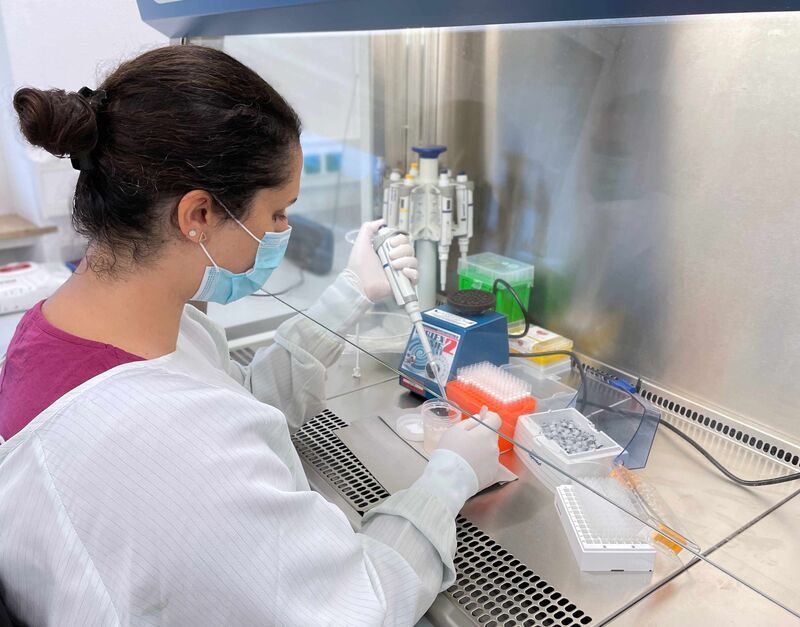
Table documentation is one of LabTwin's most used features: scientists rely on it to capture experimental results in a structured, auditable way. But the platform's linear, sequential navigation through cells made the experience cumbersome in practice. Scientists in the middle of an experiment couldn't jump to where they actually needed to be.
The 'Go to' command was built to close that gap: a voice-driven navigation feature that lets scientists move directly to a specific row, column, or cell without interrupting their workflow. I led the feature from discovery through launch, owning the problem definition, solution scoping, concept validation, and cross-functional coordination across design, research, engineering, and QA.
The problem
LabTwin guides scientists through table documentation by prompting them cell by cell, row by row, in a fixed linear sequence. In theory, that structure ensures nothing gets missed. In practice, it clashed with how scientists actually work at the bench.
Experiments rarely produce data in a clean, sequential order. A scientist might be tracking multiple samples simultaneously, returning to a row mid-experiment to add a value, or noticing a mistake three cells back that needs correcting before moving on. The platform gave them no way to handle any of that without starting over or losing their place entirely. Every workaround cost time, broke focus, and introduced risk of documentation error, the opposite of what LabTwin was built to prevent.
Approach
1. Grounding the problem in real use cases
Together with the UX researcher, I ran a series of 1:1 semi-structured interviews with scientists, anchored in concrete examples from their actual lab workflows rather than hypothetical scenarios. We weren't trying to validate a solution; we were trying to understand the shape of the problem well enough to define the right one. Four consistent findings emerged:
- Scientists needed to keep their eyes on their work, not the screen, while filling in a table, which made visual navigation cues largely useless.
- The wake word requirement before each voice input added friction at exactly the moments when speed mattered most.
- In large tables, being forced to start from the top to reach a specific section was frustrating enough that scientists deferred documentation entirely and reconstructed it later from memory, eroding the data integrity LabTwin was meant to protect.
- When scientists noticed a mistake, they wanted a fast path to correct it with a confirmation step, not a manual undo sequence.
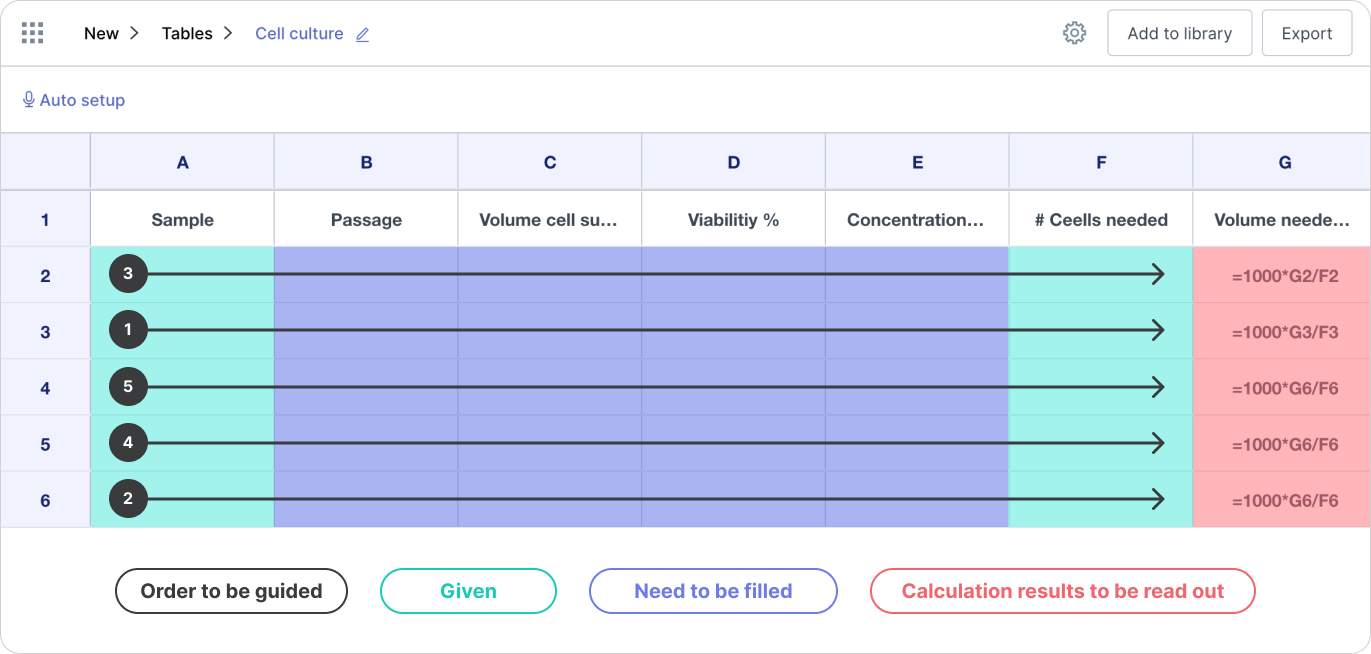
We also identified the most common documentation pattern: scientists tend to document horizontally across a row, capturing all values for a specific sample or flask before moving to the next, rather than column by column as the linear flow assumed.
2. Scoping the MVP
With use cases defined, I worked with the PM to translate findings into requirements and scope the MVP. The central constraint was accuracy: any voice-driven navigation feature lives or dies on whether the transcription reliably detects the command. We evaluated four candidate approaches against that constraint before committing to a direction.
| Approach | Example | Advantage | Concern |
|---|---|---|---|
| 'Go to' command | "Go to sample 1, viability" | Intuitive; maps directly to how scientists describe their tables | Accuracy risk when combining command with user-generated parameters |
| Directional movement | "Move up" | Fast jumps between rows and columns | Requires visual screen reference; can't reach an exact location in one command |
| Touch to select | Tap a cell | Precise, immediate | Breaks the hands-free use case entirely |
| Natural speech | "Sample 1, viability is 14" | Intuitive; navigates and fills in a single step | Higher accuracy risk; user-generated parameters throughout |
At that time, accuracy testing was the deciding factor. Natural speech, navigating and filling in a single utterance, produced lower transcription accuracy when the full value was included alongside user-generated column and row names. Separating navigation from input, as the 'Go to' command did, gave the transcription model a cleaner signal to detect the command and produced meaningfully higher accuracy. We committed to that solution.
Testing also surfaced a non-obvious risk: allowing scientists to jump freely between cells created the possibility of silently overwriting values they'd already entered. We designed a confirmation mechanism into the flow to address this, flagging when a destination cell was already populated before allowing the overwrite.
3. Designing the voice flows and MVP
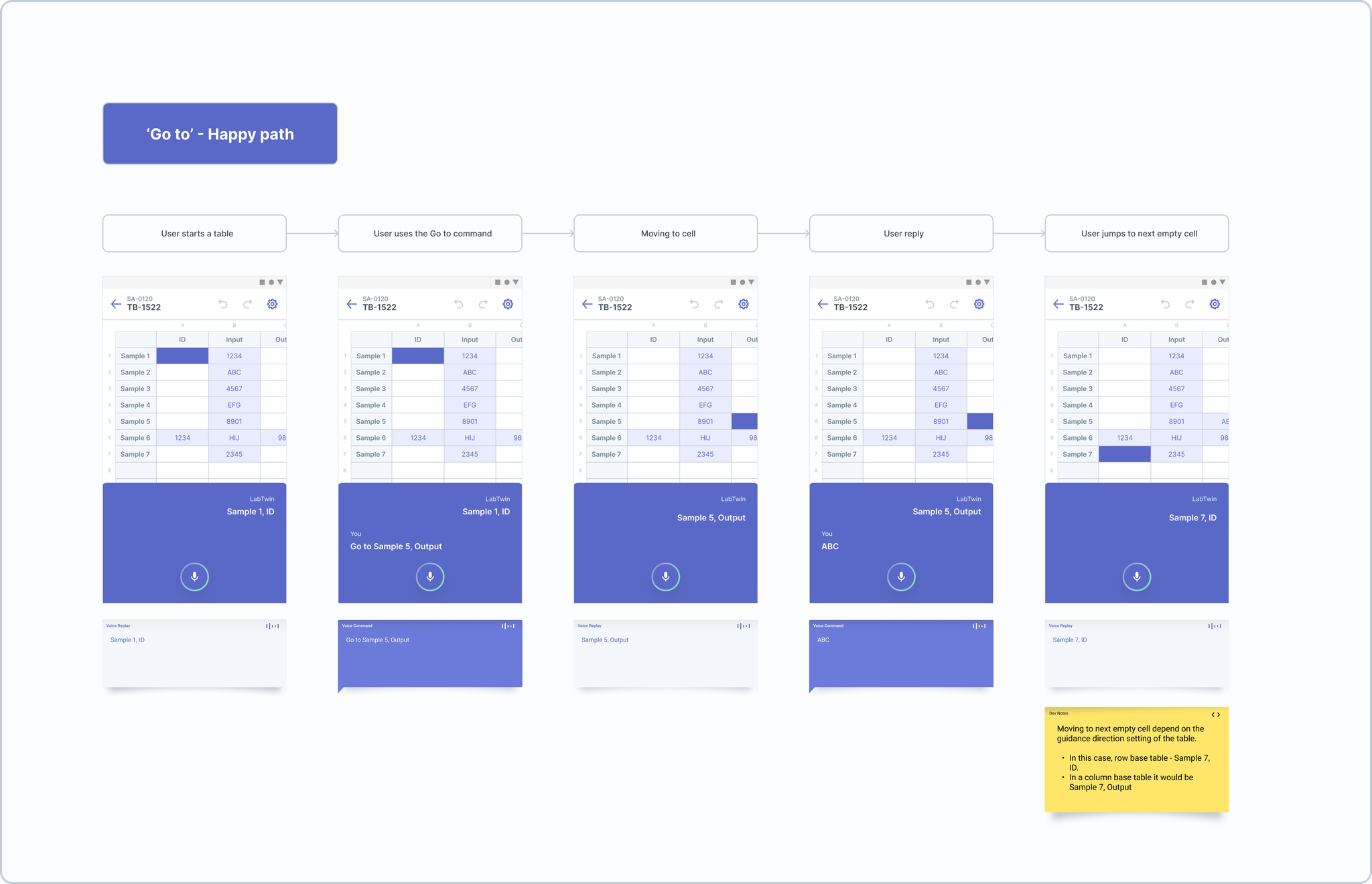
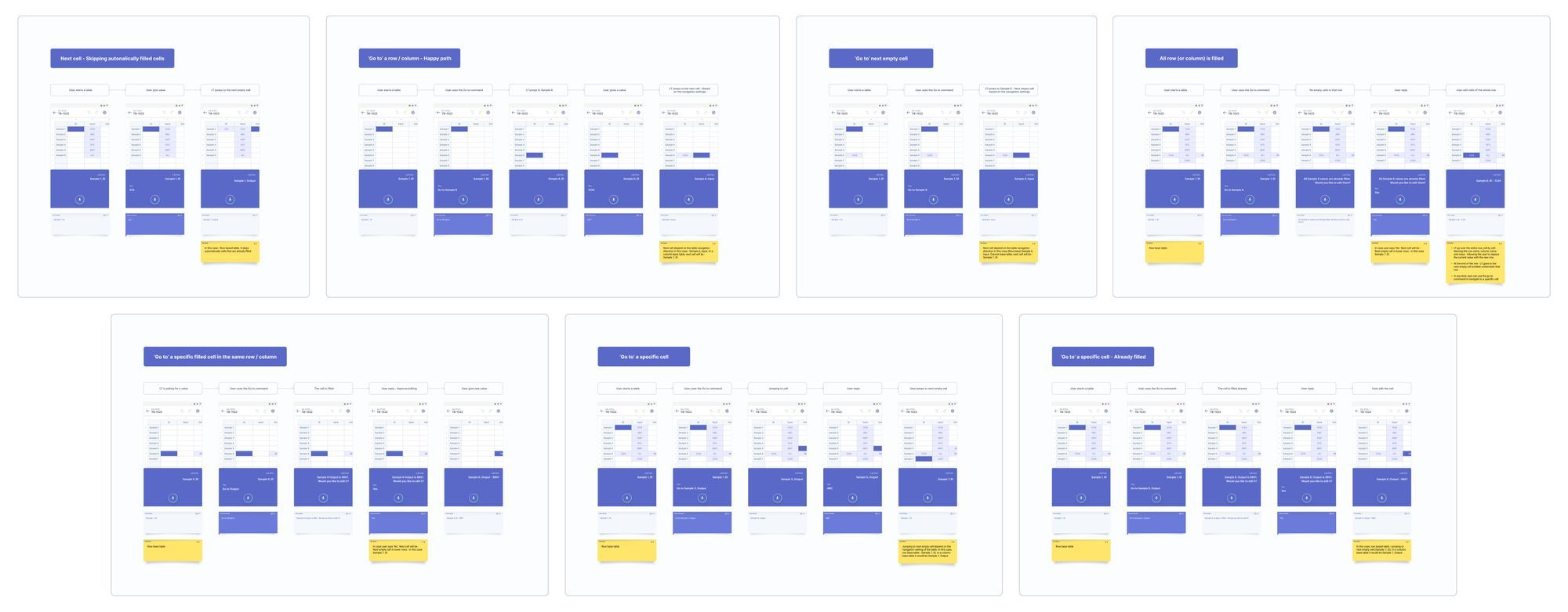
I created concept videos and interactive prototypes to illustrate the navigation flows, both the happy path and the correction path, and validated them with scientists in follow-up sessions before committing to build.
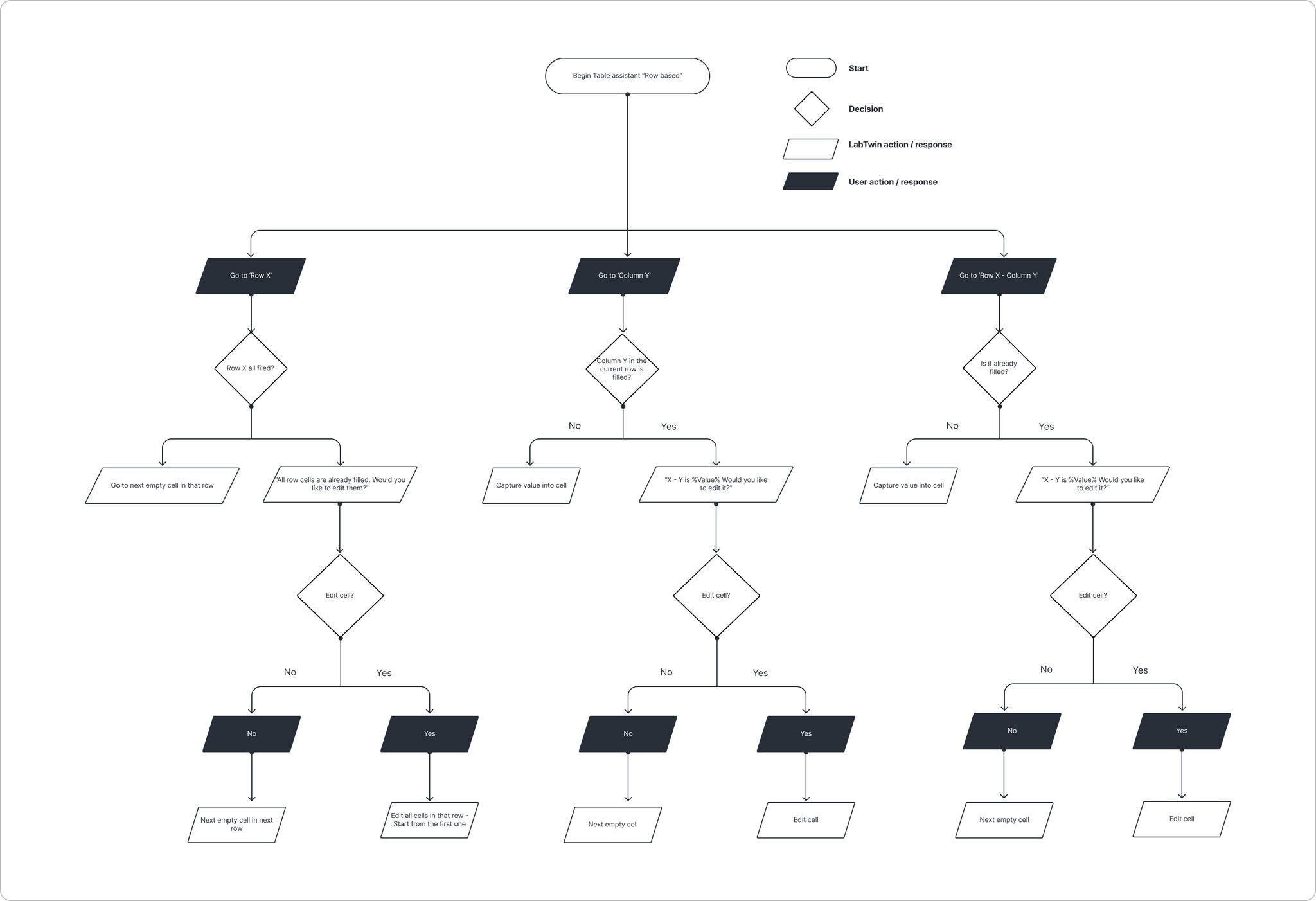
The MVP scoped to three navigation targets: a specific cell by row and column name, an entire row, and an entire column. Each could be reached with a single 'Go to' voice command, after which LabTwin would confirm the destination and prompt the scientist to begin capturing values from that point forward.
4. Cross-functional coordination
Concept validation ran in parallel with technical feasibility reviews. I worked closely with engineering and QA to stress-test the transcription accuracy thresholds, identify edge cases in the confirmation flow, and understand where the solution would degrade under real lab conditions: background noise, ambiguous column names, interrupted commands. Feedback from those reviews shaped the final interaction design before development began.
Product trade-offs
Choosing 'Go to' over natural speech
The more intuitive solution, saying "Sample 1, viability is 14" to navigate and fill in a single step, would have been a better experience if transcription could reliably support it. It couldn't, not yet. The user-generated parameters embedded throughout the utterance (sample name, column name, and value all in one command) produced accuracy rates too low to trust with real experimental data.
We chose the slightly more deliberate 'Go to' pattern, navigate first and then dictate, because it separated the command signal from the variable content, giving transcription a cleaner detection surface. The experience was marginally more effortful, but the data was reliable. For a product where data integrity is the core promise, that was the right trade-off.
Non-sequential navigation and overwrite risk
Enabling free cell navigation introduced a real risk that scientists would accidentally overwrite previously captured values, particularly in long experiments where the same table might be returned to multiple times. We addressed this with a confirmation prompt when navigating to an already-populated cell, adding a small step to protect against a significant and potentially invisible data loss.
Next steps
- Evaluate adoption and engagement metrics through structured user research to understand where the flow breaks down in practice and what to improve in the next iteration.
- Investigate expanding navigation to support additional use cases surfaced during discovery, including larger table structures and multi-table workflows.
- Build a feedback loop with CS and Sales to capture how the feature is being positioned to prospective customers, and use that as an input for future scope decisions.
Final thoughts
The 'Go to' command addressed something more fundamental than navigation: it addressed trust. Scientists documenting live experiments can't afford to second-guess whether the platform is capturing their data correctly; every interruption to fix a documentation error is time away from the experiment itself. By giving scientists direct control over where they were in a table, and building a confirmation mechanism to protect against accidental overwrites, the feature made LabTwin's documentation model feel less like a constraint to work around and more like a tool designed for how lab work actually happens.
The build also reinforced something about scoping AI-adjacent features under real-world accuracy constraints: the solution that feels most natural isn't always the one that can be shipped with confidence. Getting to a better experience sometimes means designing around the current limits of the technology, not through them.